 Invoice Creator
* Available from version 2.10.65 of the cloud edition. Download: download.html
Since version 2.10.65 the Invoice Creator cloud edition is available in 104 languages (previously 6) – from Afrikaans to Arabic, Chinese and Hindi to Zulu, just like the desktop edition (see tutorial 12). All workstations still share the same cloud database – and every user can work in their own language.
1. Installation and update
There is a single installer for all languages: install_rvcl_V2.10.65.exe (Java included). An existing installation is updated; the connection to your cloud database and the selected language are kept.
2. Choosing the language on first start
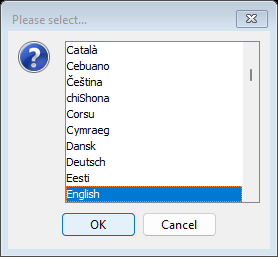
On first start the program lists all 104 languages by their own names, sorted alphabetically: first the languages written in Latin script (Afrikaans, Bahasa Indonesia, … Dansk, Deutsch, English …), then Greek, Cyrillic, Armenian, Hebrew, Arabic, the Indian scripts, Thai, Chinese, Japanese and Korean. The language of your Windows is preselected. Select a language and confirm with “OK” (or double-click it). After that you sign in to your cloud database as usual.
3. Switching the language
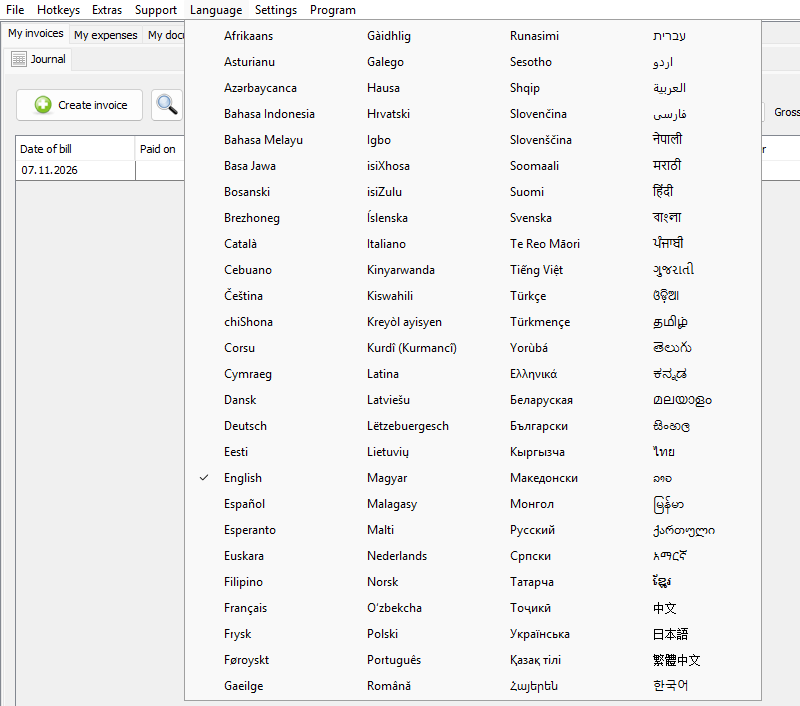
You can choose another language at any time in the “Language” menu. The menu shows all languages in four columns; the current language is ticked. After selecting a language the program saves it and asks you to restart.
4. Arabic, Persian, Urdu and Hebrew
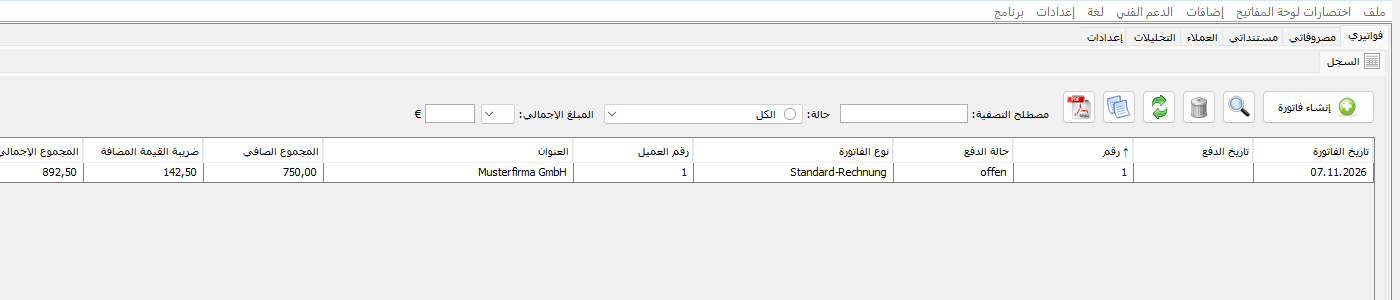
These four languages are written from right to left, so the user interface is mirrored: menus, tabs, buttons and table columns start at the right-hand edge. Dates and amounts use the digits 0–9 in every language, so invoice numbers and amounts stay unambiguous.
5. PDF invoices in every script
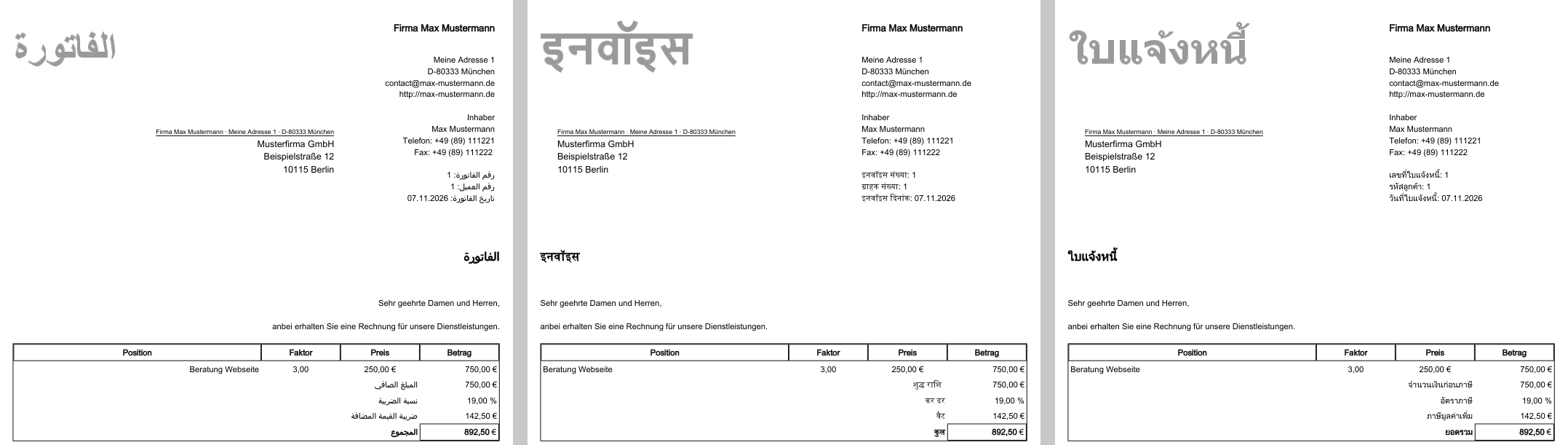
PDF invoices are typeset correctly in every language: Arabic letters are joined and written from right to left, Indian scripts and Thai get their ligatures and vowel signs, and the heading and “Total” appear in the script of the language. For Khmer, Burmese, Sinhala, Amharic and Bengali the program ships its own fonts (Noto, SIL Open Font License). Numbers, amounts, phone numbers and Latin names stay readable in Arabic lines as well.
6. Notes
Saved data such as invoice types, text templates, items and customers stay as they were created – they are not translated when you switch the language. The texts of the new languages were translated from scratch. If a term looks wrong or odd to you, let us know in the forum or with a support ticket – including the language and where it appears in the program.
Comments
There are no comments yet.