 Invoice Creator
If your clients are already stored in another program or in an Excel table, you do not have to enter them again: Invoice Creator imports them from a CSV file.
1. Opening the import
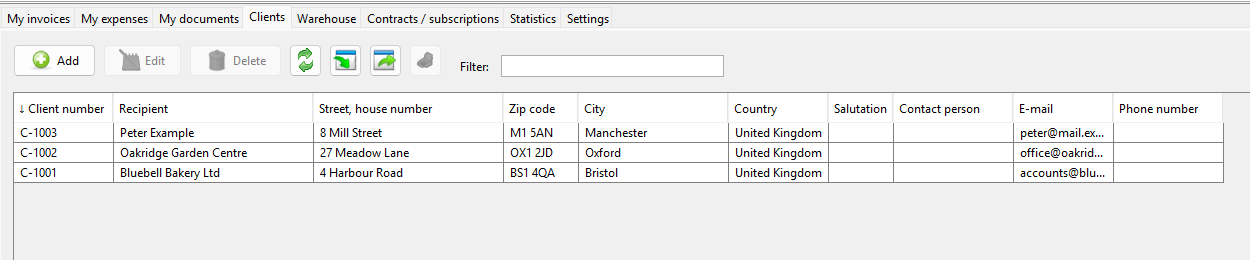
Open the tab Clients and click the Import button in the toolbar.
2. The file format
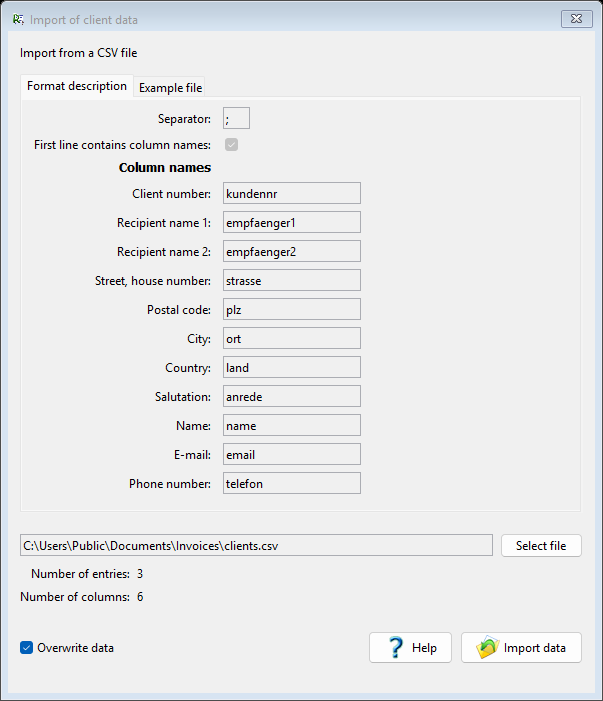
The window Import of client data describes the format on the tab Format description; the tab Example file shows an example. The file is a simple CSV file:
- The separator is a semicolon (
;). - The first line contains the column names, each further line is one client with the values in the same order.
- You only need the columns you want to import, in any order.
The column names are fixed technical names:
| Column name | Meaning |
|---|---|
kundennr | Client number |
empfaenger1 | Recipient name 1 (company or name) |
empfaenger2 | Recipient name 2 |
strasse | Street, house number |
plz | Postal code |
ort | City |
land | Country |
anrede | Salutation |
name | Name (contact person) |
email | |
telefon | Phone number |

Example – three clients without client numbers:
empfaenger1;strasse;plz;ort;land;email
Greenleaf Florists;15 Rose Avenue;EH1 1BB;Edinburgh;United Kingdom;orders@greenleaf.example
Harbour View Hotel Ltd;2 Quay Street;CF10 1EB;Cardiff;United Kingdom;office@harbourview.example
Sam Example;31 Park Road;LS1 3AB;Leeds;United Kingdom;sam@mail.example
If the file contains no client numbers, the program assigns them automatically. If your clients are in an Excel table, rename the headings in the first line to the column names above and save the table as CSV (semicolon separated). Save the file in UTF-8 so that special characters are imported correctly.
3. Importing
Click Select file and choose your CSV file. The program reads it immediately and shows the number of entries and columns. Then click Import data.
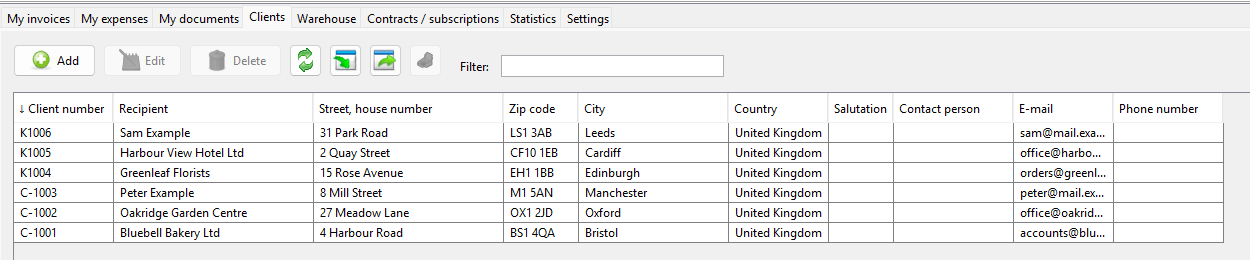
After the import, click the Update button in the client list if the new clients are not shown yet. They are now available when you create an invoice or a document.
Questions and feedback are welcome in the forum or via a support ticket.
Comments
There are no comments yet.